Open source · Apache 2.0 · Windows

A whole team of agents
on your computer.

Codex, Claude Code, Gemini CLI and local models — in one workspace. Agenting OS gives them projects, shared memory and an isolated working environment. You get a diff to approve, not yet another chat.

Free, no account Data stays local No telemetry

Version 0.5.0-rc.1 · .exe builds are in preparation — for now you run the project from source.
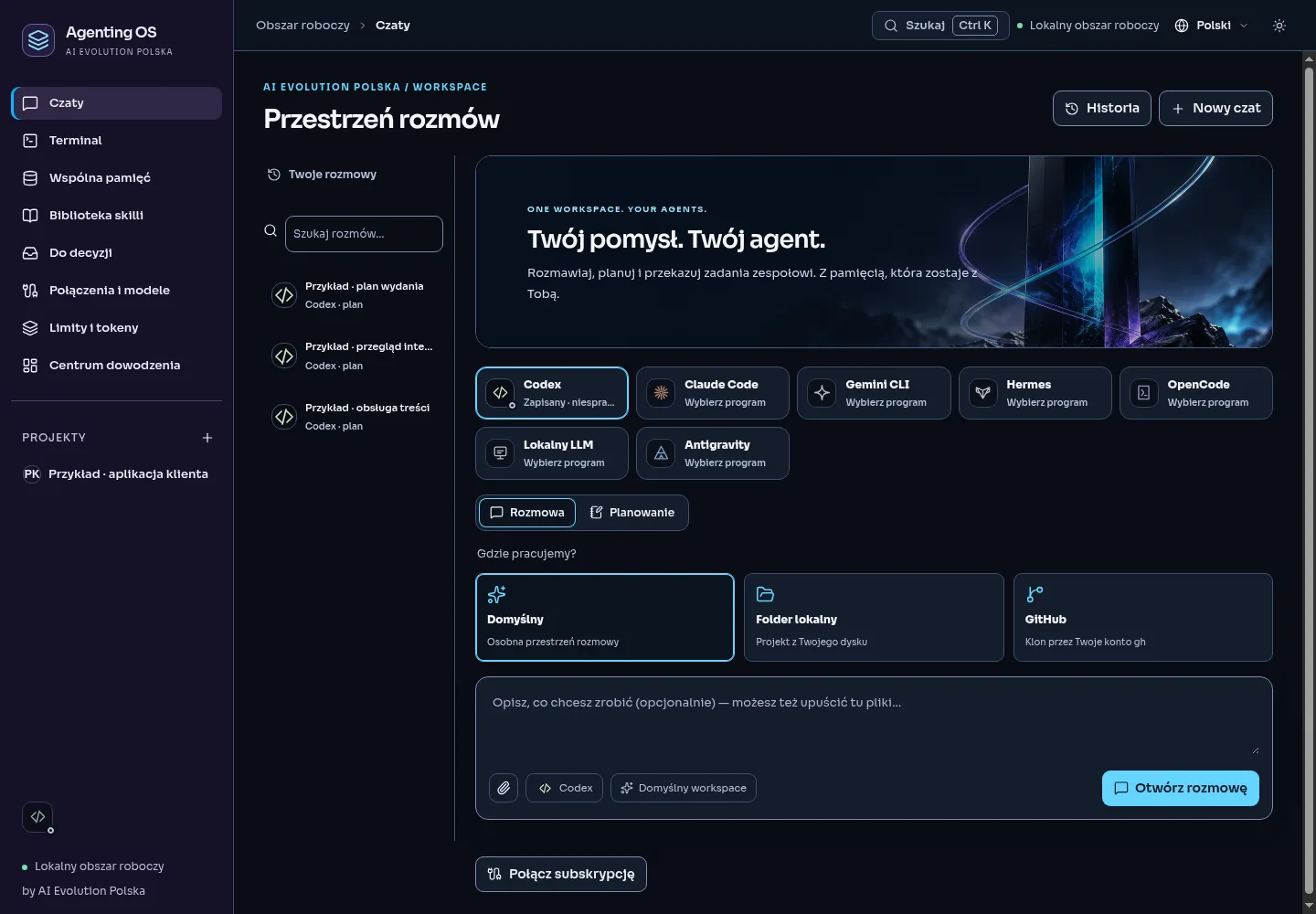
agenting-os · local workspace
Agenting OS workspace: chat area with a choice of Codex, Claude Code, Gemini CLI, Hermes and OpenCode
✓Codex · plan ready
✓Diff awaits your decision

One window, all your tools

CodexClaude CodeGemini CLIHermesOpenCodeAntigravityOpenRouterLocal LLM
Why Agenting OS

Not another chat.
A workspace.

Working with agents today looks like this: eight terminals, copy-pasting context, no memory, and hoping nothing overwrites your files. Agenting OS turns that into one system.

01

One workspace, not eight terminals

Codex, Claude Code, Gemini CLI, Hermes, OpenCode and local models in one window. Switch between planner, implementer and reviewer roles in one click — no rewriting prompts.

02

See changes before you accept them

Every agent task runs in an isolated worktree. You get a diff, test results and a decision: accept or reject. Nothing lands in your project without your approval.

03

Memory that sticks

Shared project memory and a skills library. The agent learns your conventions once — a new session does not start from zero. Context belongs to the project, not to chance.

How it works

From goal to a finished change.

Command center

A plan that does not end at the plan

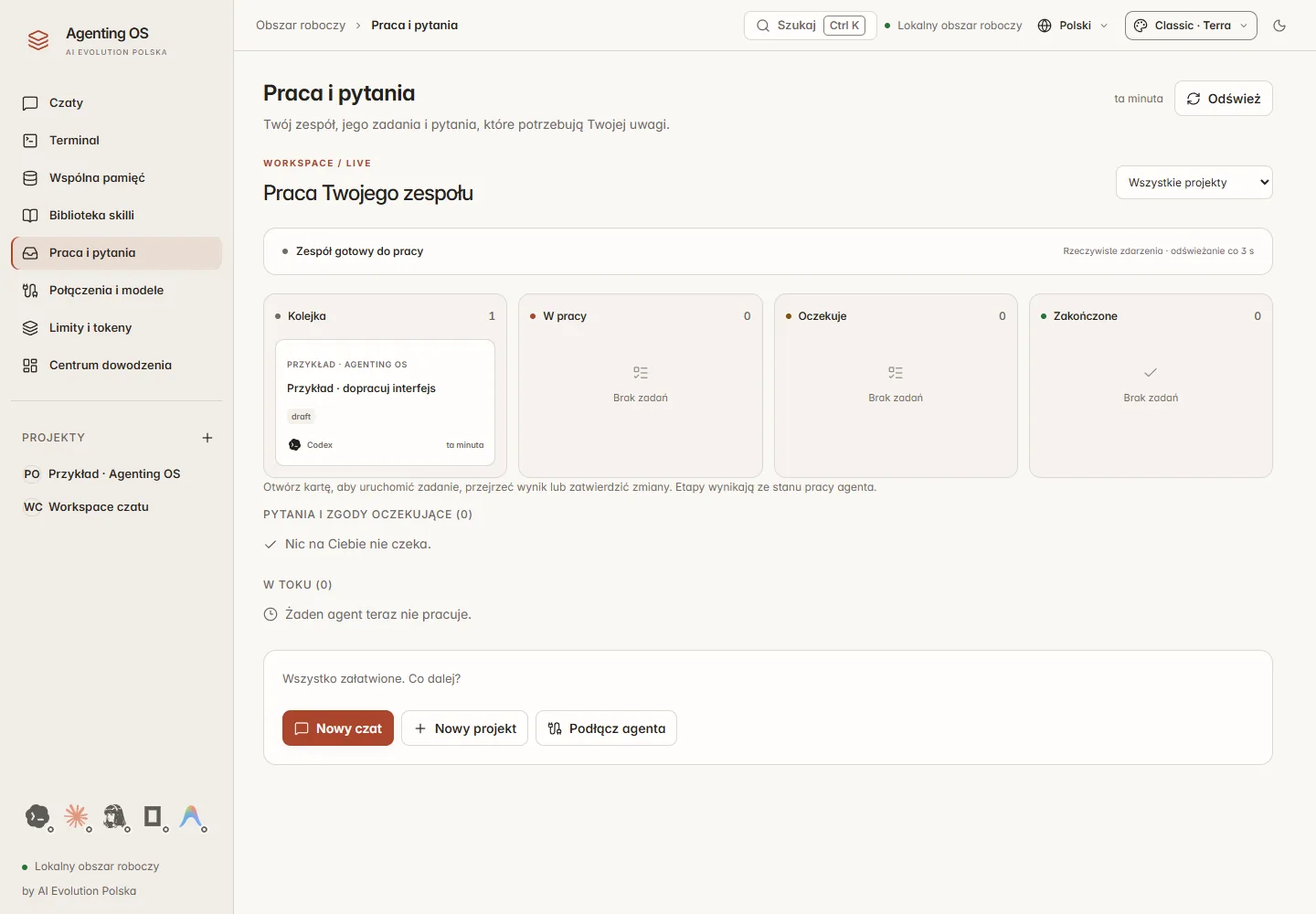
The Master Agent breaks a goal into tasks, assigns roles and tracks statuses. You see who is working, what is blocked and what awaits your decision — in one view.
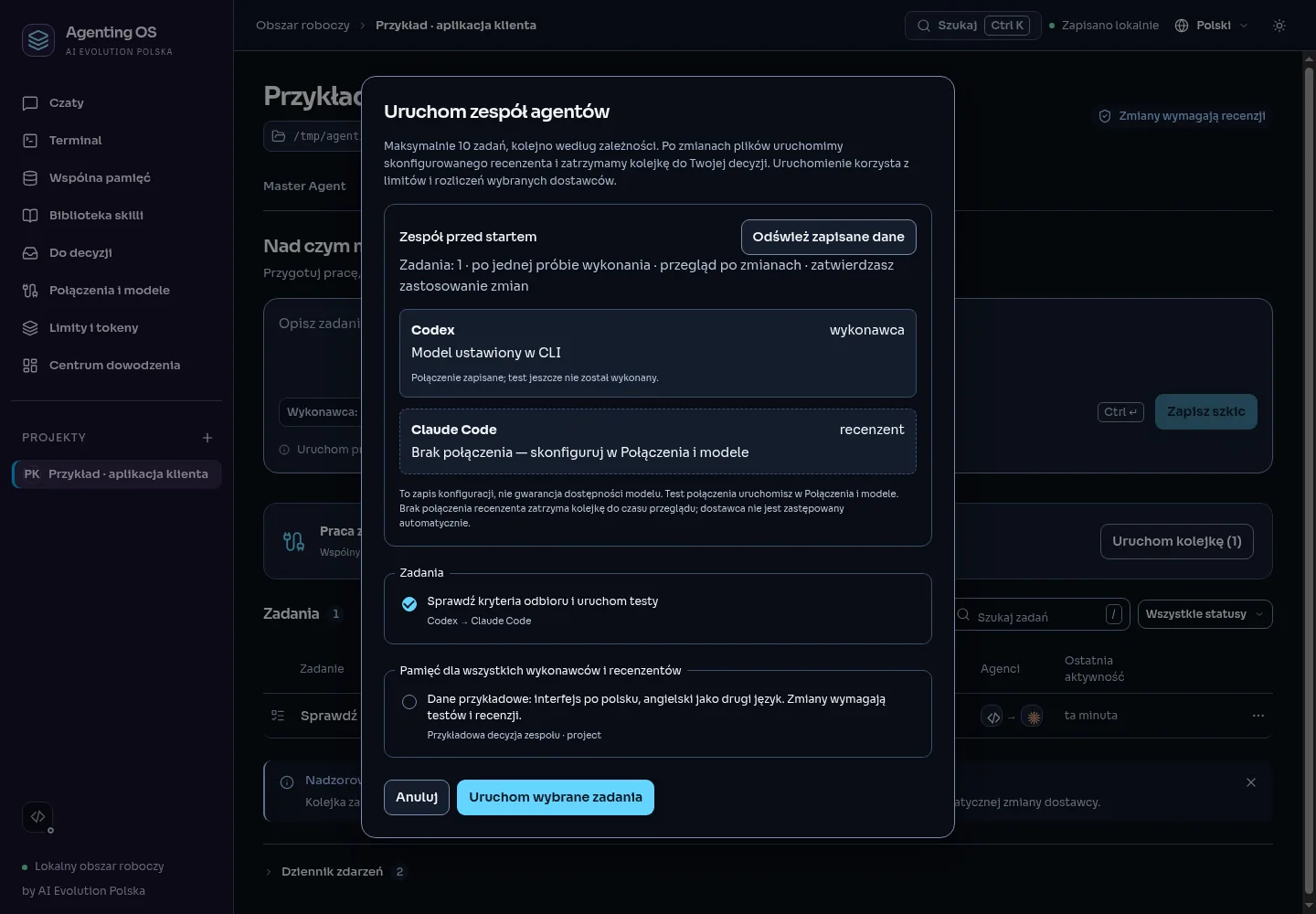
  • Breaking a goal into measurable tasks
  • Planner, implementer and reviewer roles
  • Kanban and a “To decide” queue
Command center: agent teams and task statuses
Terminal

A real terminal, not a mock-up

A full PTY inside the app. You see every agent command in real time, and can interrupt, repeat and inspect the log. It is your computer — you stay in control.
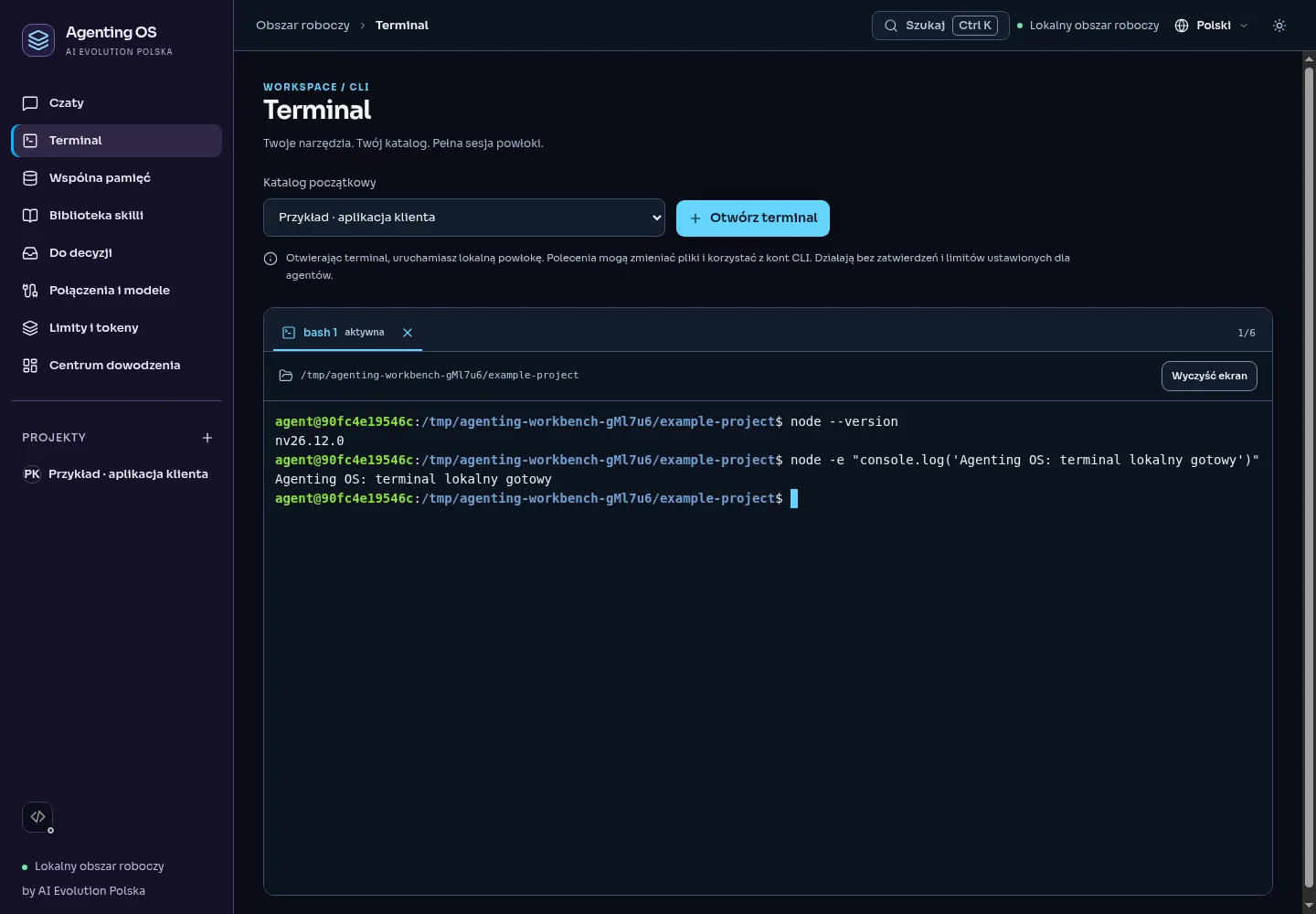
  • PTY with a live view of the agent at work
  • Interrupting and resuming sessions
  • Visible automation of the built-in browser
Terminal in Agenting OS showing an agent at work
Memory and skills

Project context grows with you

Shared memory is tied to the project, not to a single conversation. Add a skills library: procedures, conventions and proven workflows the agent knows from the very first prompt.
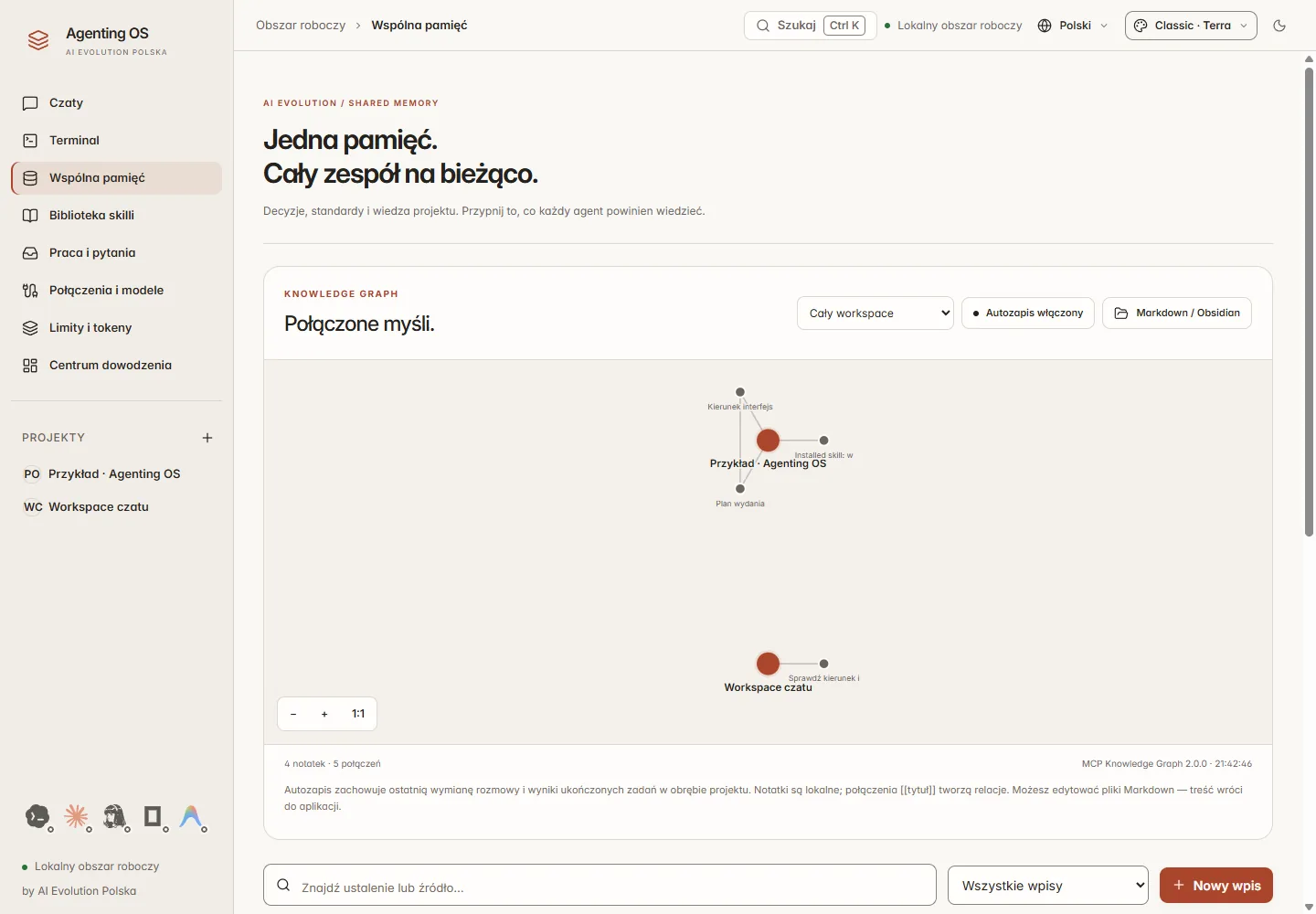
  • Persistent project memory in a local database
  • Curated skills library for dev/UI/browser
  • Context you can see and edit
Shared project memory in Agenting OS
Connections and limits

Your subscriptions. Your limits.

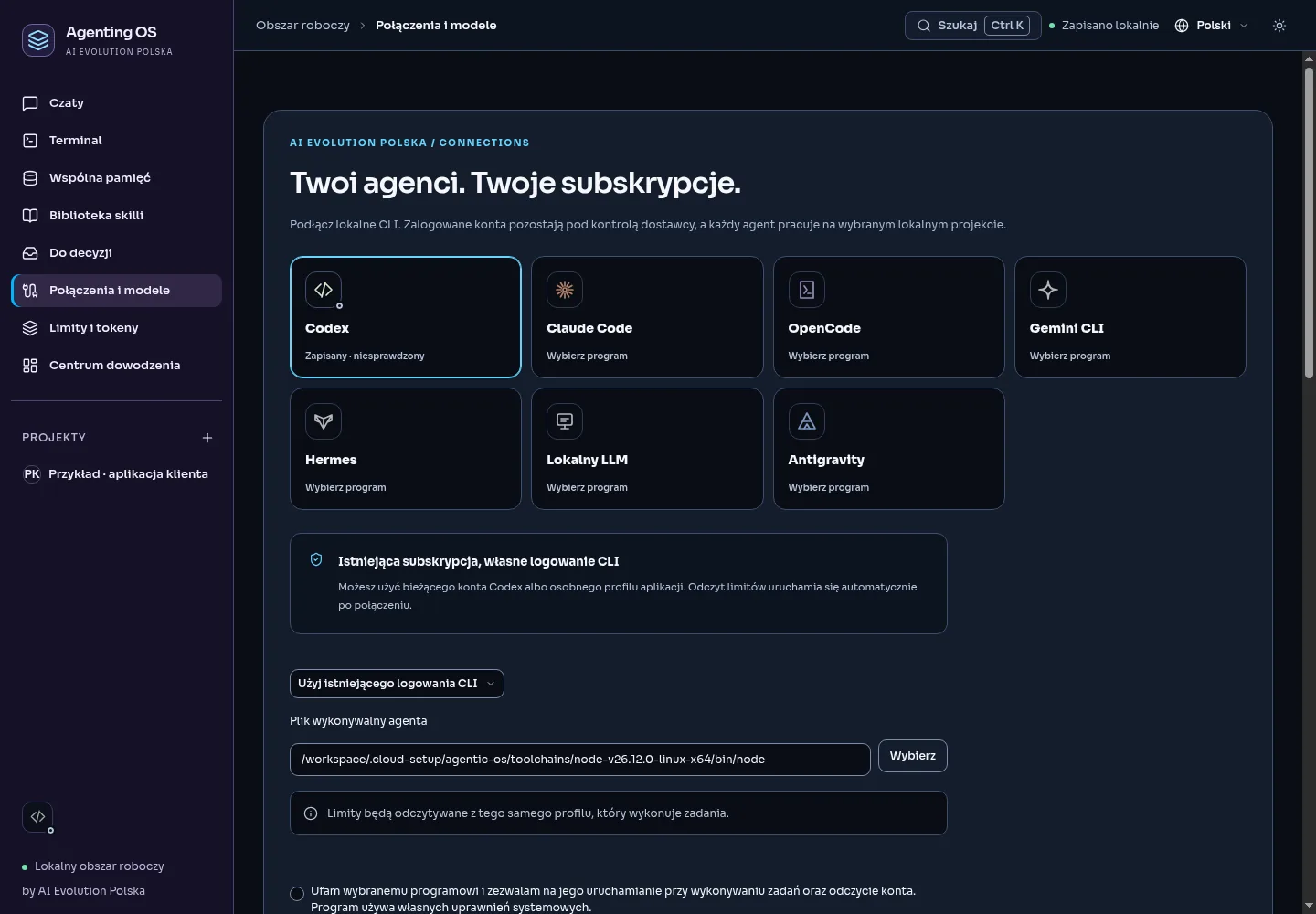
You connect what you already pay for: a Codex subscription, Claude Code, an OpenRouter key or a local model. The limits panel shows the real state — with the data source and reset date, no made-up percentages.
  • Subscriptions, APIs and local models in one place
  • Honest limit status: known, unknown, after reset
  • No requests sent outside the connection you chose
Connections and models in Agenting OS
Inside

See what it looks like.

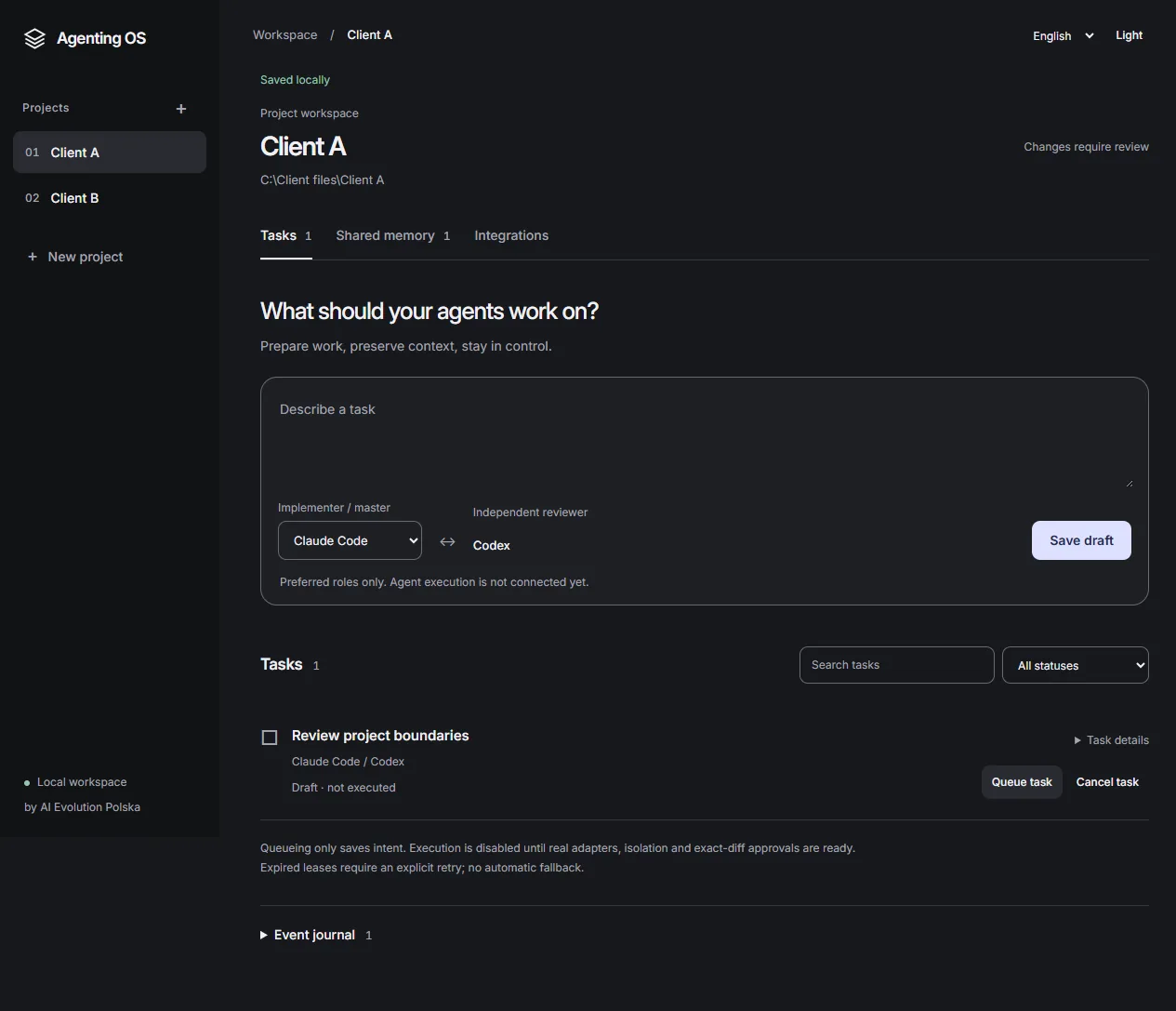
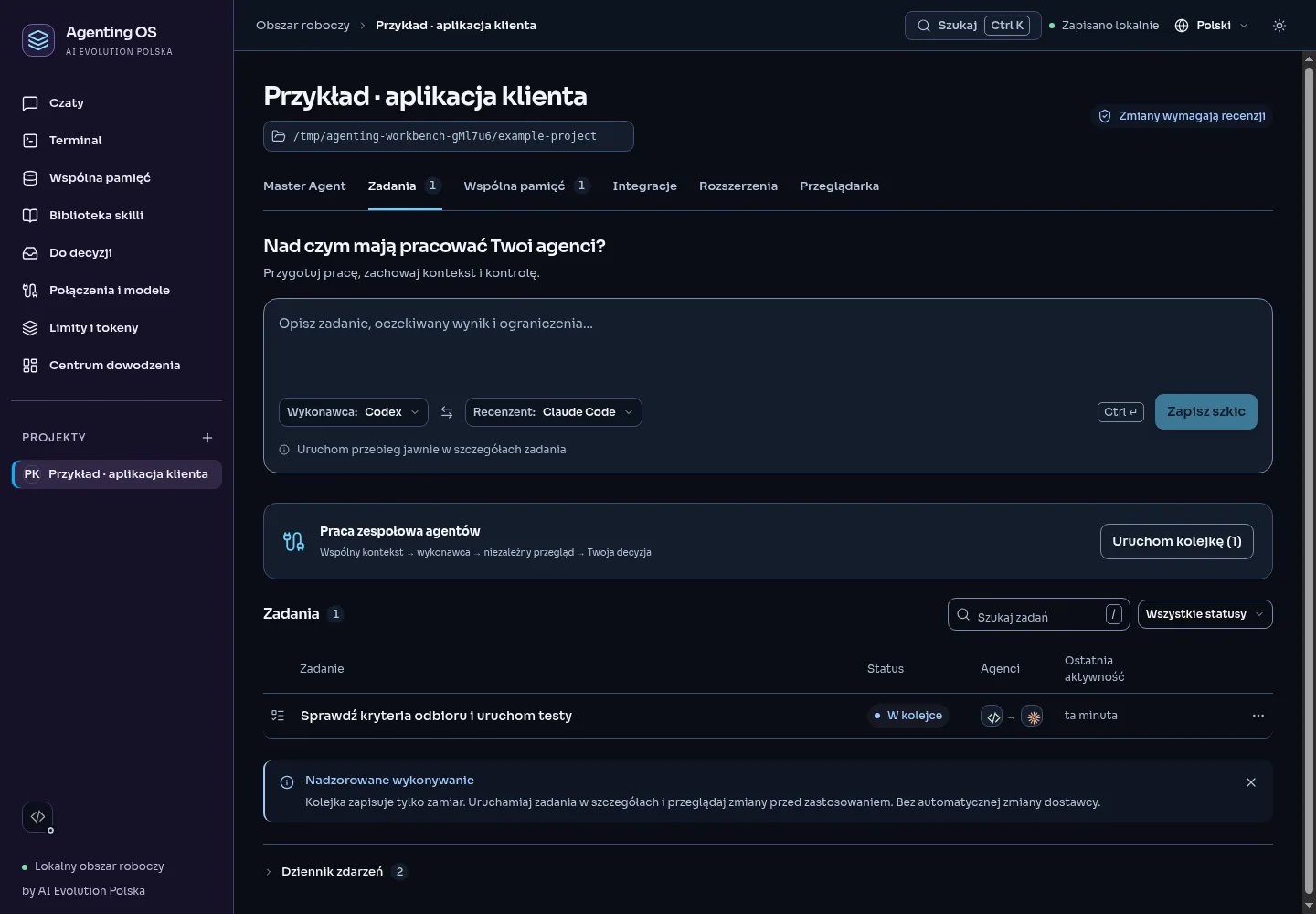
Project view in Agenting OS: files, tasks and agent work status Project view in Agenting OS, dark theme
Project — everything about one repository in one place.
Kanban board with agent tasks Kanban board with agent tasks, dark theme
Kanban — task statuses and the decision queue.
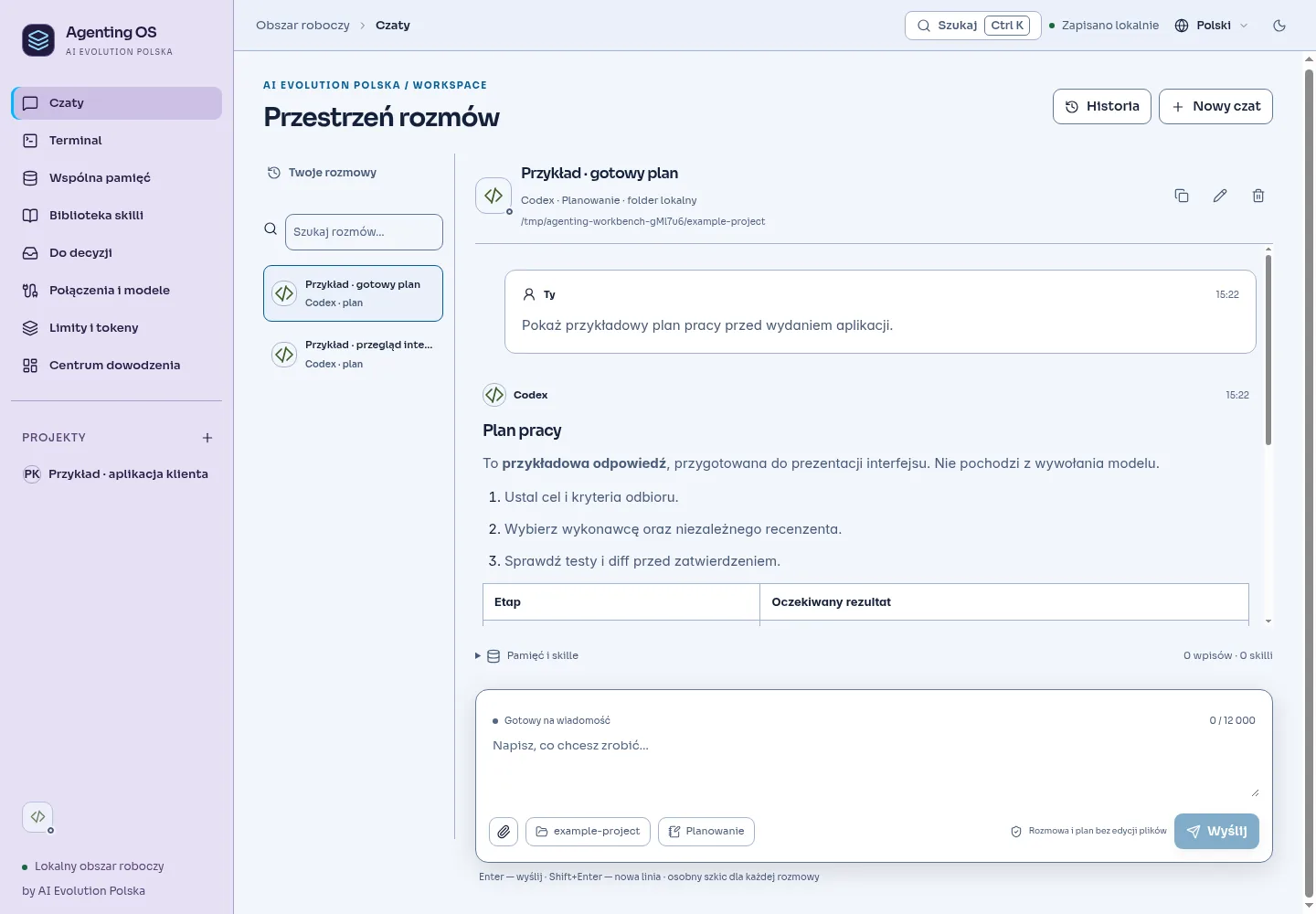
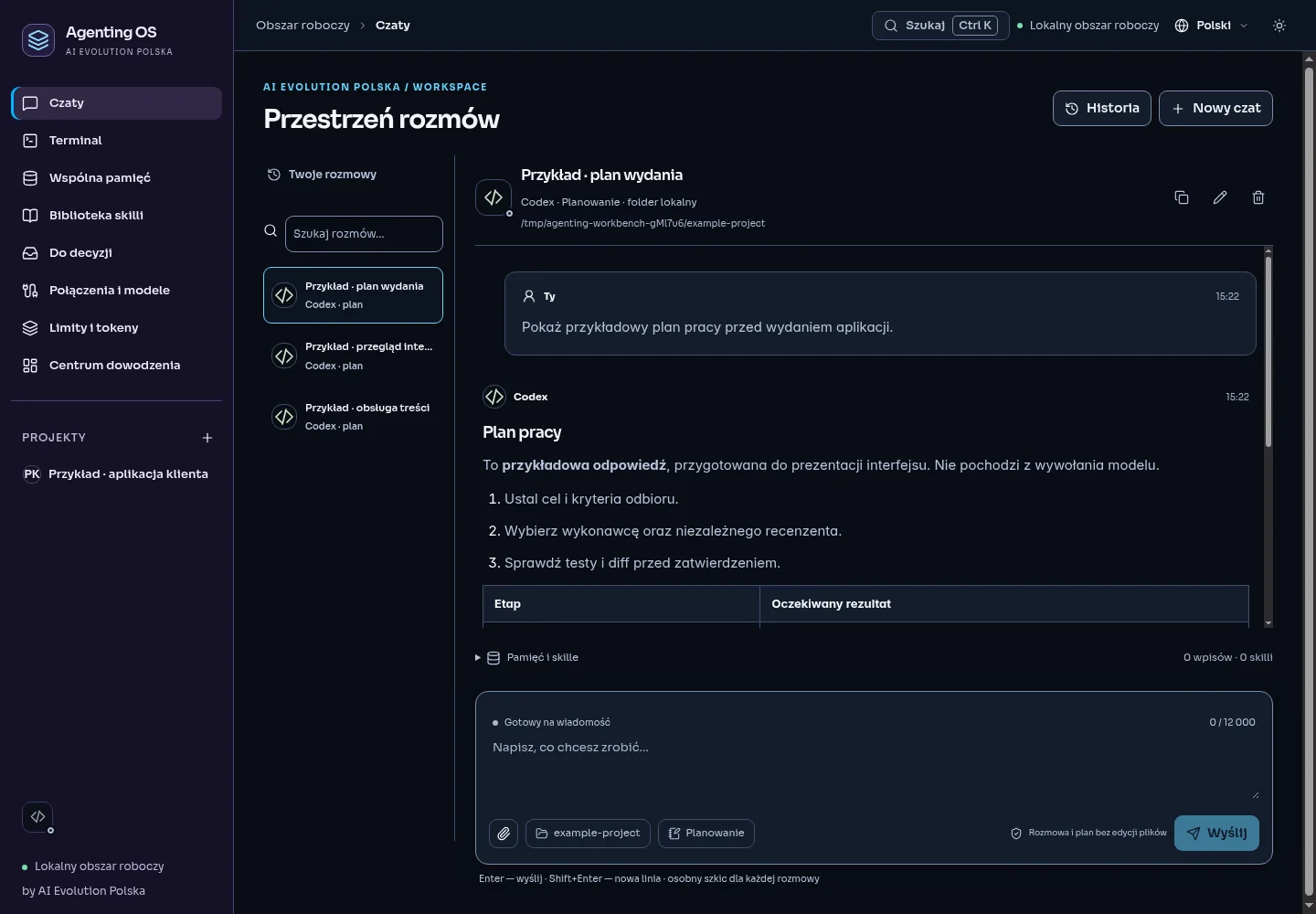
Conversation with an agent in Agenting OS Conversation with an agent, dark theme
Agent conversation — with full project context.
Security and privacy

Your code never leaves
your computer.

Agenting OS is not a cloud service. It is a desktop app: projects, memory and secrets stay on disk. The cloud appears only where you choose a cloud model yourself.

Local data

Projects, tasks and memory live in a local SQLite database. No account, no sync, no cloud copy.

Secrets outside the UI

API keys live only in the main process. They never reach the renderer, localStorage or logs.

No telemetry

The app does not report what you do. No analytics, no “anonymous usage stats”, no hidden requests.

An unprivileged browser

Web content in the built-in browser has no access to Node or the app IPC. Automation is visible.

0accounts or logins for the app
100%of data on your disk
7agent programs in one window
Apache 2.0open-source license
Open source

Built in public.
Yours to change.

The code is open under the Apache 2.0 license. Read it, build it locally, extend it with your own integrations and submit fixes. No vendor lock-in and no “enterprise tier” hiding half the features.

github.com/aievolutionpl/agentic-os Apache 2.0 v0.5.0-rc.1 Windows · Electron
# 1. clone the repository
git clone https://github.com/aievolutionpl/agentic-os.git
cd agentic-os
 
# 2. install dependencies
npm install
 
# 3. run the app
npm run dev
 
# production build (.exe)
npm run build
FAQ

Questions we answer.

Does Agenting OS send my code to the cloud?
No. The app is local: projects and memory live in a SQLite database on your disk. Data leaves your computer only if you pick a cloud model — and only as part of the conversation with that model. There is no telemetry and no account.
Which models and tools can I connect?
Codex, Claude Code, Gemini CLI, Hermes, OpenCode, Antigravity, plus any model via OpenRouter or a local server compatible with the OpenAI API (e.g. Ollama). Use subscriptions, API keys or fully local models.
How does change approval work?
Every implementation task works in an isolated worktree. When it finishes you see the diff, the list of changed files and test results. Only after your approval do changes reach the actual project. Rejecting breaks nothing.
Does it run on macOS and Linux?
The first release targets Windows. The app is built on Electron and React, so a port is technically feasible — check the repository docs for the current state of support for other systems.
How much does it cost?
The app itself is free and open source (Apache 2.0). You only pay for the models you use — through your own subscription or API rates. Agenting OS takes no commission on requests.
How is it different from Cursor / VS Code + Copilot?
An editor helps you write code. Agenting OS organizes the work of a team of agents: roles, tasks, shared project memory, isolated environments and change review. It is an orchestration layer — it works alongside your editor, not instead of it.
Start in 2 minutes

Give your agents
their own operating system.

Get it, open a project and see what work looks like when nothing gets lost.

This site is run with the help of AI. Content and screenshots may change as the project evolves — verify key information in the repository.
This site was designed and written with the support of AI agents. Feature descriptions match the repository as of publication; the app is a release candidate, so details may differ between versions. The source of truth is the code and documentation in the GitHub repository. Do not base a deployment decision solely on marketing material.